A client review workflow that does not start with a WordPress account
Freelancers and agencies send drafts for approval every week. This turns that into one link per article, readable by anyone, closing on its own when the project ends.
Built around how approval actually happens
Someone outside your site needs to read something that is not published yet, and then say yes.
The client sees the article, not WordPress
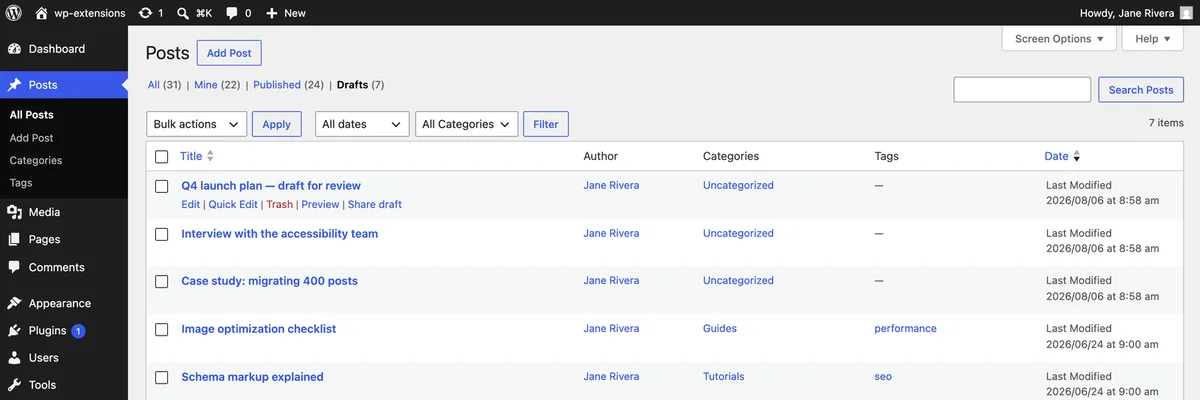
Sending a client into wp-admin means explaining wp-admin. A share link skips that entirely: they open a normal-looking page on your site, read the piece as their readers will, and reply with their notes. No screenshots pasted into a document, no exported PDF that loses the layout, no walkthrough of the editor.
Send several drafts in one sitting
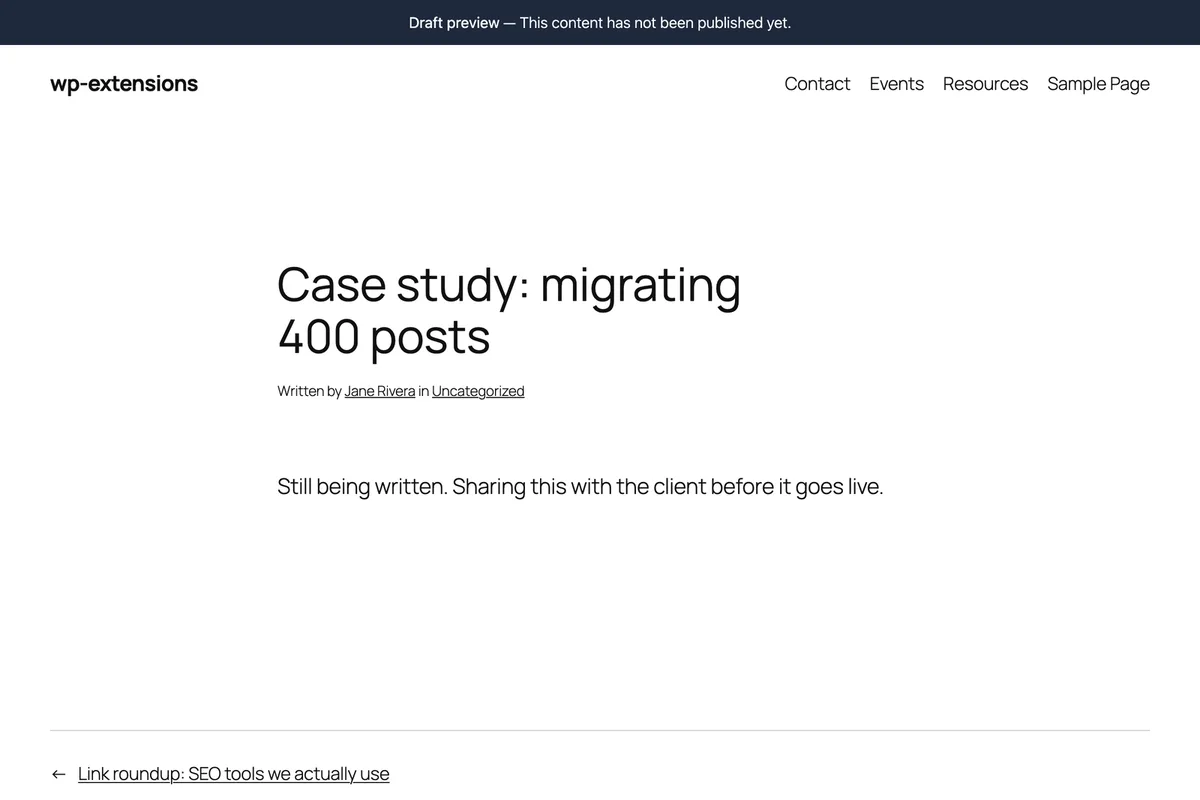
Agencies and editorial teams rarely review one post at a time. From the posts list you can generate a link for each draft in the queue without opening any of them, then paste the batch into a single email. The Drafts filter in WordPress gives you the shortlist to work from.
Close access when the project ends
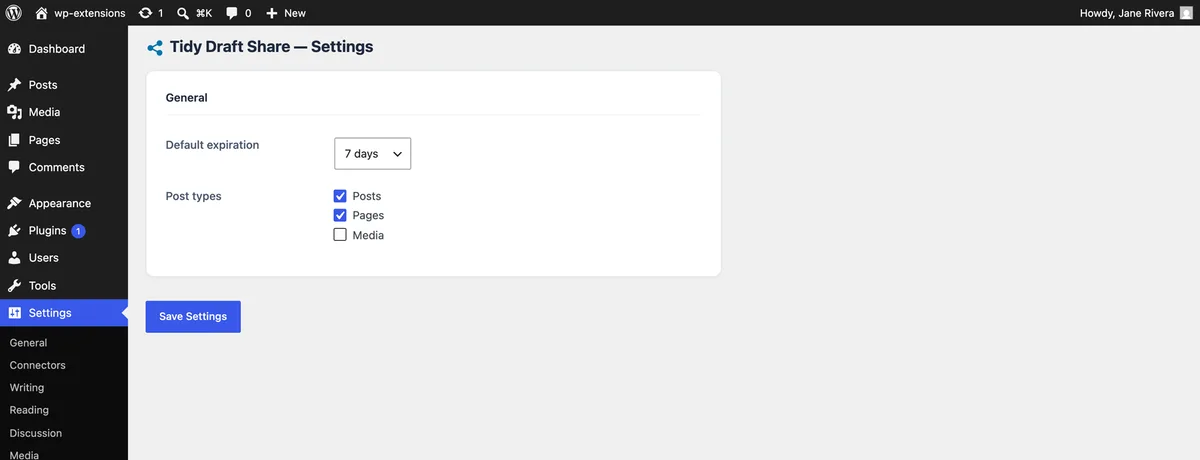
Client work has an end date. Links expire on their own, and you can revoke any of them the moment sign-off lands. Nothing stays reachable after the engagement, which is one less thing to explain in a handover.
What it replaces
Most review workflows are a workaround: a temporary account, a PDF export, or a pile of screenshots. Each one costs time and loses something along the way.
- No account to create for a client who will use it twice
- They review the real page, so feedback is about the finished article
- Batch-share a whole queue of drafts from the posts list
- Access ends by itself when the engagement does
- Nothing leaves your site — no third-party review tool in the loop
- Works the same for posts, pages and custom post types
Frequently asked questions
- Can the client leave comments on the draft?
- Not through the link, which is deliberately read-only. Most teams keep feedback where the rest of the project conversation lives — email or a shared document — rather than adding another tool for the client to learn.
- Is this suitable for confidential client work?
- The link is unguessable and expires, and the page is noindexed. Treat it like any private URL: it protects against discovery, not against forwarding. For work under NDA, keep the expiry short and revoke as soon as sign-off is in.
- Can I see whether the client opened it?
- Each link records a view count, so you can tell whether it has been opened before chasing a reply.
- What about a multi-author team reviewing internally?
- It works for that too, but colleagues who already have accounts can simply use the WordPress preview. Share links are most useful for people outside your site.
- Does it work with pages, not just posts?
- Yes. Enable pages, or any custom post type, in the settings and the Share draft action appears for them as well.
Explore more features
Send your next draft for approval as a link
Free on WordPress.org. Install it, open a draft, and send the link.