Share a WordPress draft without giving anyone a login
Send an unpublished post to a client, an editor or a colleague with a single secure link. They read it in your theme, exactly as it will look — no WordPress account required.
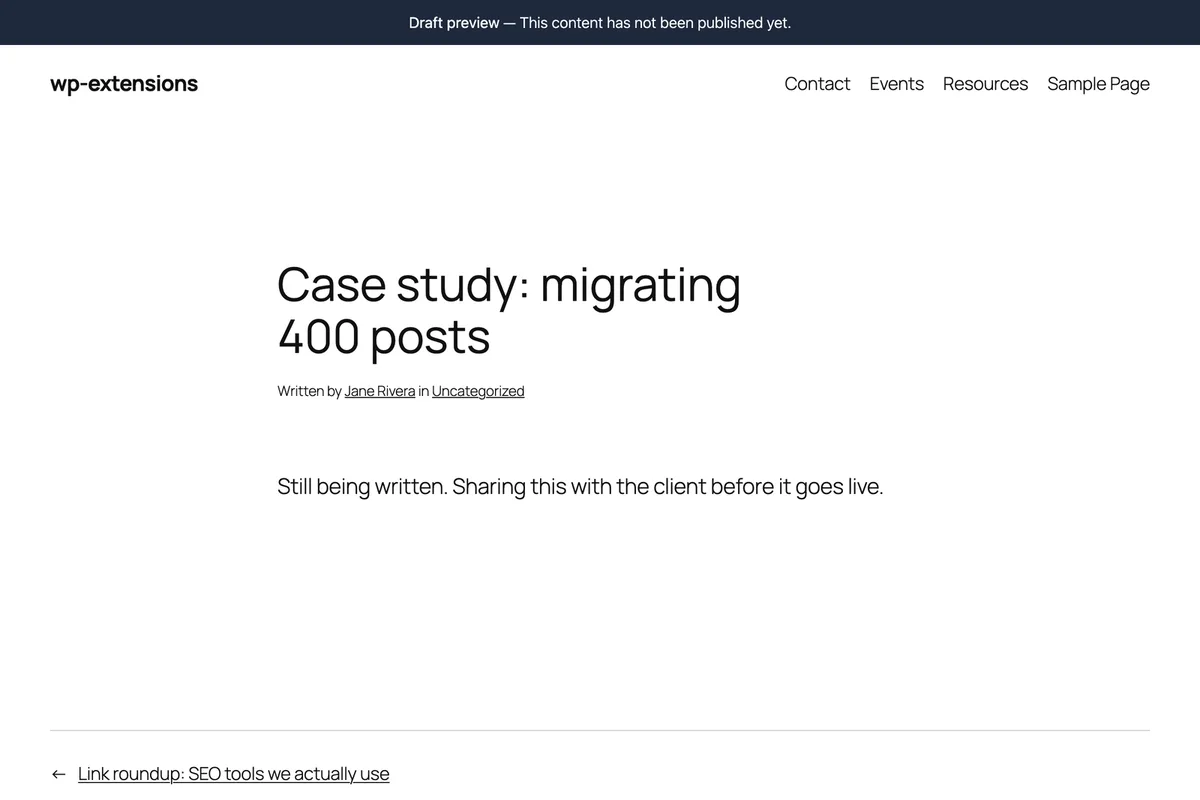
Built for the one thing WordPress makes awkward
Showing an unpublished post to someone who does not work on your site.
One link, no account, no password to hand out
Open the draft, click Share draft, choose how long the link should last. That is the whole flow. The person you send it to clicks the link and reads the post exactly as it will look once published — no WordPress account, no invitation email, no password to type. They never see your admin, and you never create a user you will have to clean up later.
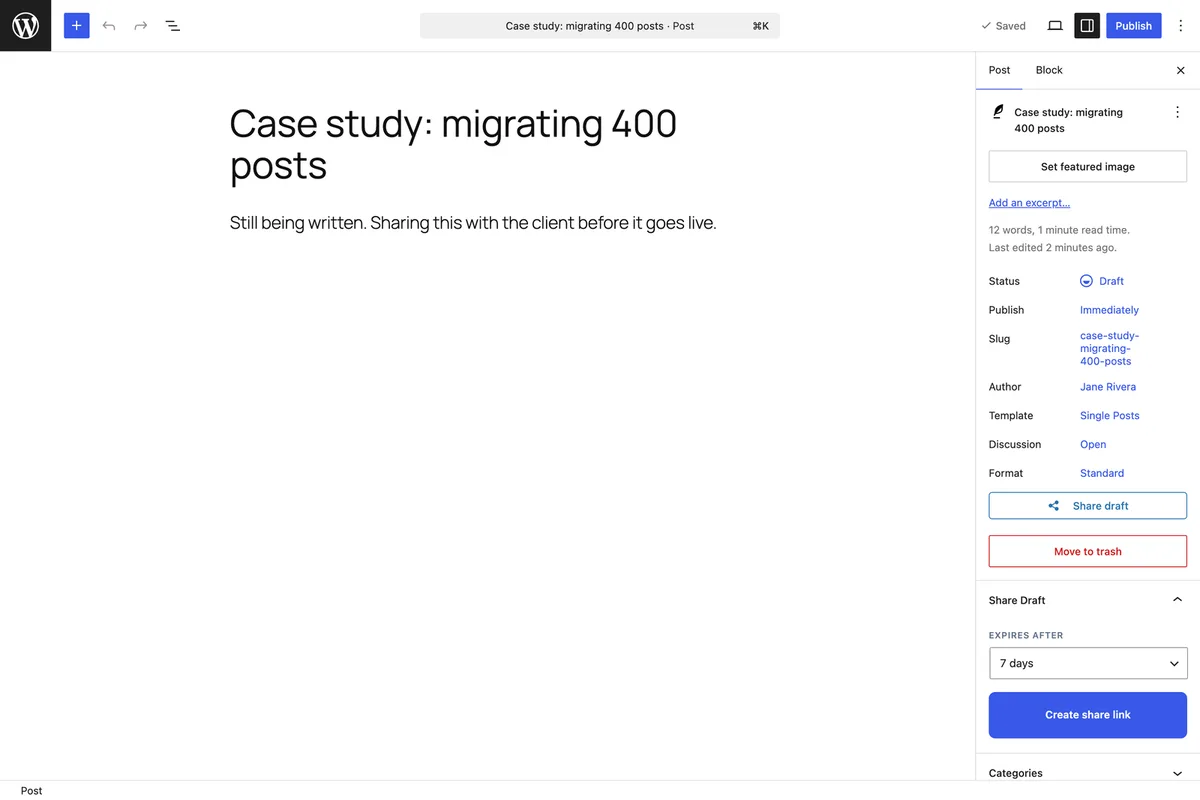
The reviewer sees the real page, not a preview of the text
The link renders the post through your theme, with your fonts, your layout and your images. That matters when the feedback you are after is about how the article reads on the page rather than about the words alone. Search engines are kept out with a noindex, nofollow robots tag, so a shared draft never turns up in results.
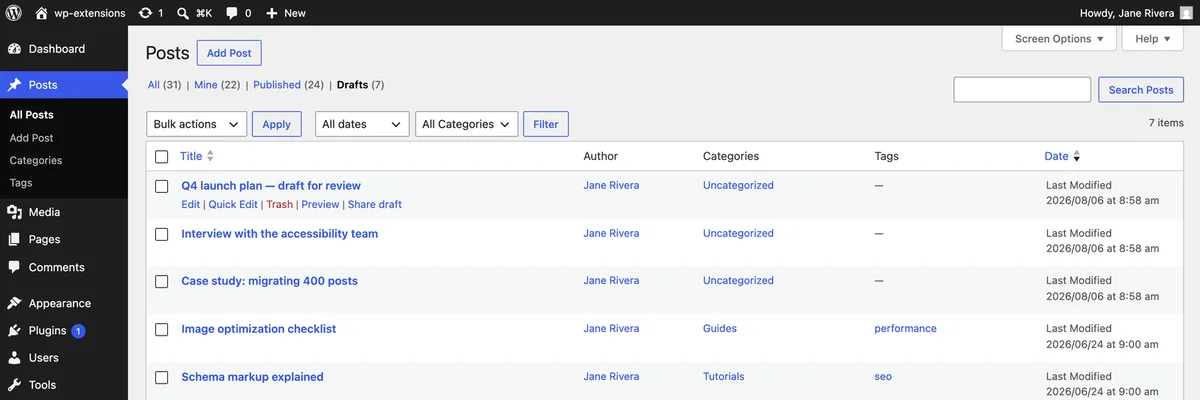
Share from the posts list, without opening the editor
When you have five drafts to send out, opening each one is a waste of time. The posts list carries a Share draft action on every row, so you can generate links in a few clicks. Pages and custom post types work the same way once you enable them.
Why a share link beats creating an account
Adding a user for every reviewer means passwords to send, roles to get right and accounts to clean up later. A link avoids all of it.
- No WordPress account for the reviewer — nothing to create, nothing to revoke afterwards
- The draft renders through your theme, exactly as it will look published
- Shared drafts carry a noindex, nofollow robots tag, so they stay out of search results
- Works on posts, pages and any custom post type you enable
- Share straight from the posts list, without opening each draft
- Nothing is sent to an external service: the link points at your own site
Frequently asked questions
- Does the person I share with need a WordPress account?
- No. That is the point of the plugin. The link contains a secure token that grants read access to that one draft, and nothing else. They do not sign in, and you do not create a user.
- Can they edit or comment on the draft?
- No. The shared link is read-only. Anyone who wants to change the post still needs a real account with the right capability.
- Will Google index my unpublished draft?
- No. Shared drafts carry a noindex, nofollow robots tag, so search engines are told explicitly not to keep them.
- What happens if the link is forwarded to someone else?
- Anyone holding the link can read that draft until it expires or you revoke it. Treat it as a private URL. If it leaks, revoke it from the editor and generate a new one.
- Does it work with page builders and block themes?
- Yes. The draft is rendered by your theme in the normal way, so whatever you use to build the page is what the reviewer sees.
Explore more features
Share your first draft in under a minute
Tidy Draft Share is free on WordPress.org. Install it, open a draft, click Share.